




Advanced Word Counter
Count words, characters, sentences, paragraphs and more
General
Details
Tools
Advanced Word Counter Tool - Auto-save enabled. Your text is saved locally.
Set Writing Goal
Change Case
Find & Replace
Our Word Counter Tool at WP Toolkit Hub - Easy and Free to Use
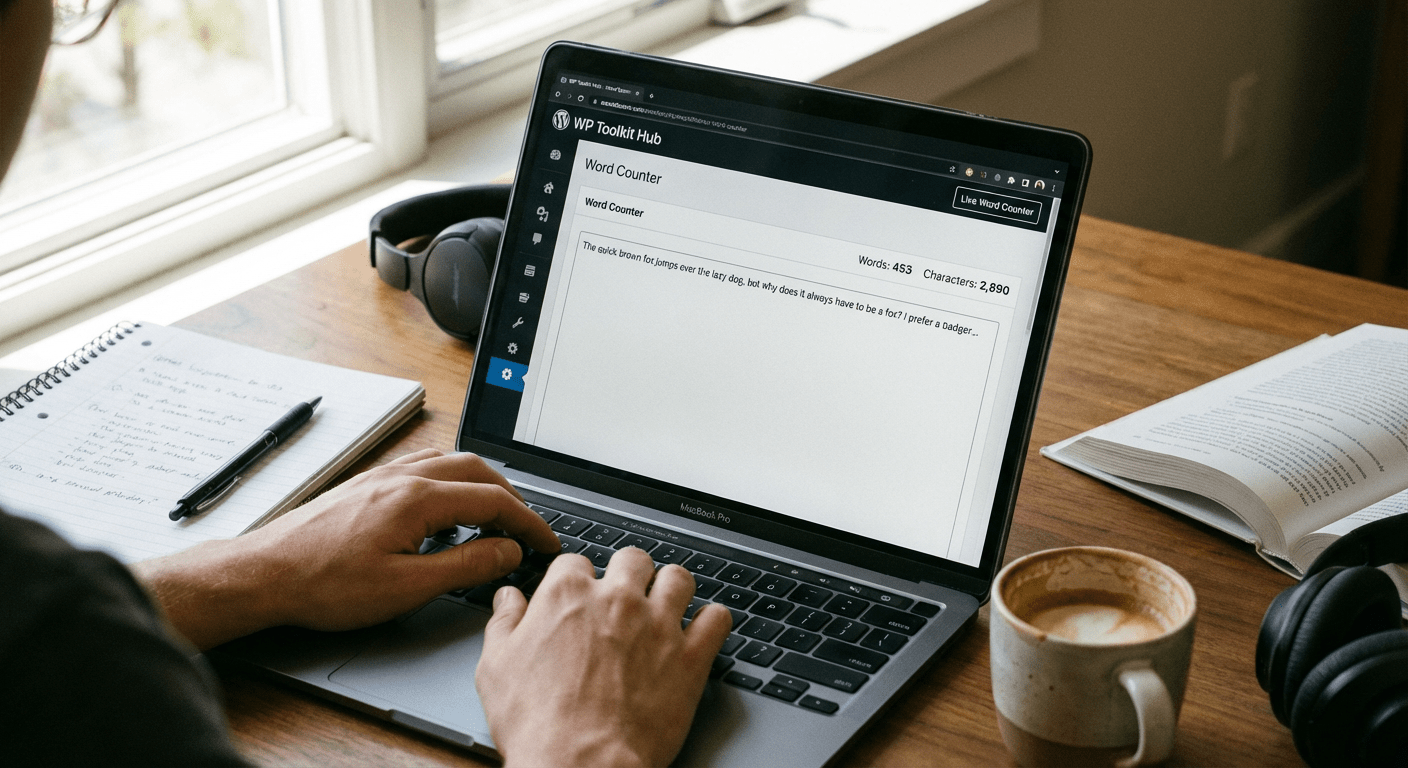
So you need to know how many words are in something you wrote. Thats a pretty common thing. Maybe you’re a student trying to hit a page limit for a paper. Or maybe you’re writing a post for social media and there’s a character limit you cant go over. It could be anything really. Our Word Counter tool is built for exactly that. Its a simple box where you put your text. As you type, the numbers for words and characters change right away. You dont have to press a button or anything. It just works.
This is just one of the tools we have on our site, WP Toolkit Hub. We’ve got a bunch of others that might help you out too. For example, if you need to change how your text looks, theres our Case Converter. If you’re working on a website and want to see how often you use certain words, the Keyword Density Checker can do that. We even have tools for images, like our Image Compressor to make files smaller. But right now, lets just talk about counting words.
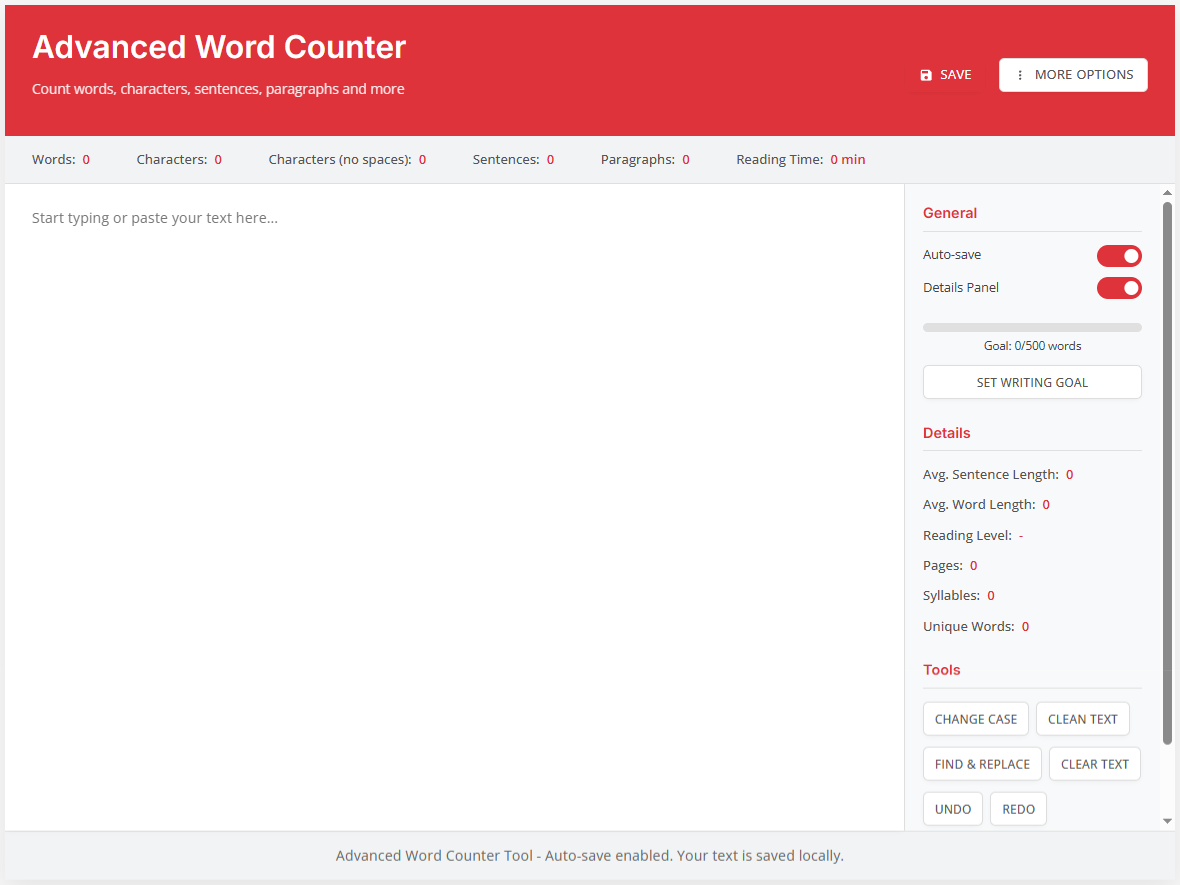
What You Can Do With Our Word Count Checker
Characters
This counts every single letter, number, and symbol. Even punctuation marks.
Characters (no spaces)
This is the same as above, but it doesnt count the spaces between words. Some people need this number for specific reasons.
Reading Time
This gives you a rough idea of how long it would take for an average person to read your text out loud. Its just an estimate but its handy.
Sentences
It figures out where your sentences end and tells you how many you have.
Paragraphs
It counts every time you start a new paragraph.
Words
This is the big one. The total number of words in your text.
One feature people really like is the auto-save. It uses something called your browser’s local storage. That’s a fancy way of saying it saves your work directly on your own computer. So if you have to stop what you’re doing and close the browser, or if your power goes out, you can come back later and your text should still be there in the box. You wont lose your progress. We know how annoying that can be.
The Details Section - For When You Want to Know More
If you’re the kind of person who likes extra information, click on the “Details” panel. This opens up a whole new set of numbers that can tell you more about your writing style. You dont need to look at this, but its there if you’re curious.
| Thing It Measures | What It Actually Means For You |
|---|---|
| Average Sentence Length | This is the typical number of words in each of your sentences. If the number is really high, it might mean your sentences are too long and hard to follow. A low number might mean your writing is very choppy. |
| Average Word Length | This figures out the typical number of letters in your words. Using lots of short, simple words gives a low score. Using more complex, technical words will make this number higher. |
| Reading Level | This is a guess at the education level someone would need to easily understand your writing. It might say something like “8th Grade” or “College Level.” Remember, its just a guess based on formulas. |
| Pages | This estimates how many printed pages your text would fill. Its useful if you have a page limit instead of a word limit. |
| Syllables | It counts all the syllables in your text. This can be important for poets or people writing speeches. |
| Unique Words | This tells you how many different words you used. If you have 500 words but only 100 are unique, it means you’re repeating the same words a lot. It can help you vary your vocabulary. |
Who Actually Uses a Word Counter and Why?

Students
This is probably the biggest group. Schools and universities are always giving assignments with very specific word counts. "Your essay must be between 1,000 and 1,200 words." Our tool takes the stress out of trying to count by hand. You can watch the number go up as you write and stop right when you hit the target.
Writers and Bloggers
If you write for a living or as a hobby, setting a daily word count goal is a great way to stay disciplined. Some famous writers try to write 500 or 1000 words a day. Our counter helps you track that. After you're done writing, you might use our Text Cleaner tool to remove any messy formatting before you publish.
People Looking for Jobs
Applying for jobs often involves writing cover letters or answering questions. Sometimes the application form has a strict character limit for these responses. Writing too much can mean your application gets cut off or rejected. Our counter helps you stay within the limits.
Social Media People
If you manage social media accounts, you know all about limits. Twitter (or X) has a tight character limit. So do other platforms like LinkedIn or Facebook for certain types of posts. Our tool shows you these limits clearly so you can edit your post until it fits.

Just About Anyone
Ever write a long comment online or an email and then think "wow, this is too long"? A word counter can help you be more concise and get your point across without writing a whole book.
How Our Online Word Counter is Different from the Rest
The internet is full of websites that will count words for you. So why should you use the one from WP Toolkit Hub? We think we’ve made something that is straightforward, reliable, and doesnt bother you with ads or complicated features you dont need.
| What to Look For | WP Toolkit Hub’s Tool | Other Tools You Might Find |
|---|---|---|
| Price | 100% Free. Always. | Some are free, but others try to charge you for basic features. |
| Saving Your Work | Yes, it saves automatically on your computer. | Many dont do this, so you lose your work if you leave the page. |
| Extra Features | We built in tools like Change Case, Clean Text, and Find & Replace. | Most other counters just count. You have to go to a different website to edit your text. |
| User Experience | Clean and simple. We avoid pop-up ads and clutter. | Lots of free tools have annoying ads that cover the screen or slow the page down. |
| Data Provided | We give you all the basic counts plus the advanced Details panel. | Many only show words and characters, and thats it. |
And remember, if you’re working on other projects, we have tools for that too. Need to create a code from an image? Try our Image to Base64 Converter. Working with numbers? Our Discount Calculator might be useful. Feel free to explore the whole WP Toolkit Hub.
Handy Editing Tools Built Right Into the Counter
We didn’t want to just give you a number and send you away. We thought, why not include some basic editing tools so you can fix up your text right there in the same box? It saves you time.
- Change Case: Made a whole section in CAPITAL LETTERS by mistake? This can fix it to normal sentence case, or make it all lowercase, or other styles.
- Clean Text: This is great if you copy text from a PDF or a website. It often comes with weird spacing and invisible characters. This button cleans all that up in one click.
- Find & Replace: Realized you spelled a name wrong throughout the whole document? Type the wrong word in the “find” box and the right word in the “replace” box, and it will fix every instance for you.
- Clear Text: This is like a big eraser. It wipes the whole text box clean so you can start a new document.
- Undo / Redo: Changed your mind about a change you made? The undo button takes it back. If you undo too much, the redo button brings it forward again.
- Print: Need a hard copy? This sends your text directly to your printer.
- Download: This saves your text as a simple .txt file on your computer. Its a good way to make a backup of your work.
Its like having a small writing toolkit all in one place. And if you’re creating content for business, you might also find our Invoice Generator handy for billing clients.
Questions People Ask All the Time
How does the word counter work exactly?
What about words with hyphens, like "state-of-the-art"?
We count that as a single word. So “state-of-the-art” is one word, not four. Thats the standard way most word counters do it.
Is my text private? Are you reading it?
We take your privacy seriously. The text you type never gets sent to our servers to be stored. It only exists in your web browser on your own computer (that’s what the local storage is). For super sensitive documents, you should always be cautious, but our tool is safer than many that require an internet connection to work.
Can I use it on my phone or tablet?
Absolutely. The whole website is made to work on any device. Whether you’re on a big desktop computer, a laptop, a phone, or a tablet, the word counter will adjust to fit your screen and work just fine.
What does the "Reading Level" score mean?
Its based on a couple of simple math formulas that teachers and researchers use. It looks at how long your sentences are and how long your words are. A lower score means its easier to read, a higher score means its more complex. Its not a perfect judge of quality, but it can help you understand the style of your writing.
Do you have other free tools like this?
We have a whole collection. For example, if you need to create a QR code, we have a QR Code Generator. For checking the strength of your passwords, theres the Password Strength Checker. And if you need to convert an image from one format to another, like JPG to PNG, use our Image Converter. Theres a lot to discover on our site.
Final Thoughts
So that’s the story of our Word Counter tool. We tried to make it as useful and easy as possible. We know you have better things to do than manually count words. So next time you have a document, a post, or anything else that needs a quick count, remember this tool. Its here for you, its simple, and it wont get in your way. Happy writing!