




Tip Calculator
Free Online Financial Calculator: Tips, Loans, Margins & More
Let’s be honest for a second. Math is hard. And when money is involved, it gets even harder because you really don’t want to make a mistake. Whether you are trying to figure out how much to tip the waiter, checking if that store discount is actually a good deal, or planning a big business loan, you need numbers you can trust.
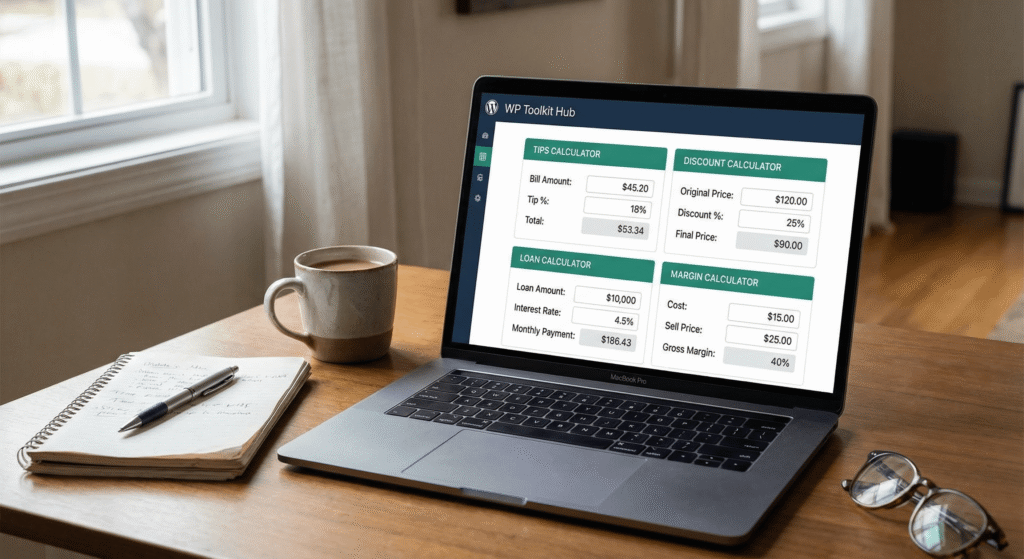
That is exactly why we put together this Financial Calculator at WP Toolkit Hub. It’s not just one tool; it is a whole bunch of useful calculators rolled into one easy spot. You don’t need a degree in finance or a dusty old textbook to use it. You just put in your numbers, and we do the hard work for you.
In this guide, we are going to walk through everything this tool can do. From simple day-to-day stuff like splitting a dinner bill to more heavy stuff like investment planning. We built this because we know having the right numbers helps you make better choices.
Why You Need a Reliable Financial Calculator
You might think, “I have a calculator on my phone, why do I need this?” Well, a standard calculator is great for adding 2 + 2. But what if you need to calculate financial leverage or figure out the GST on a product? That is where standard calculators fail. They don’t know the formulas.
Our financial calculator online is set up with the formulas built-in. This saves you time and stops you from guessing. It is perfect for students, business owners, or just anyone who wants to keep their budget in check.
If you are running a website, maybe using one of our eCommerce Add ons, you know how important margins are. One wrong calculation and you could be losing money on every sale. This tool stops that from happening.
The Different Modes of Our Calculator

Tip Calculator
We have all been there. You finish a great meal with friends, the bill comes, and suddenly everyone is staring at the receipt trying to do mental math. It’s awkward. Our tip tool makes it fast. You just enter the bill amount and the percentage you want to tip. It tells you the total instantly.
Discount Calculator
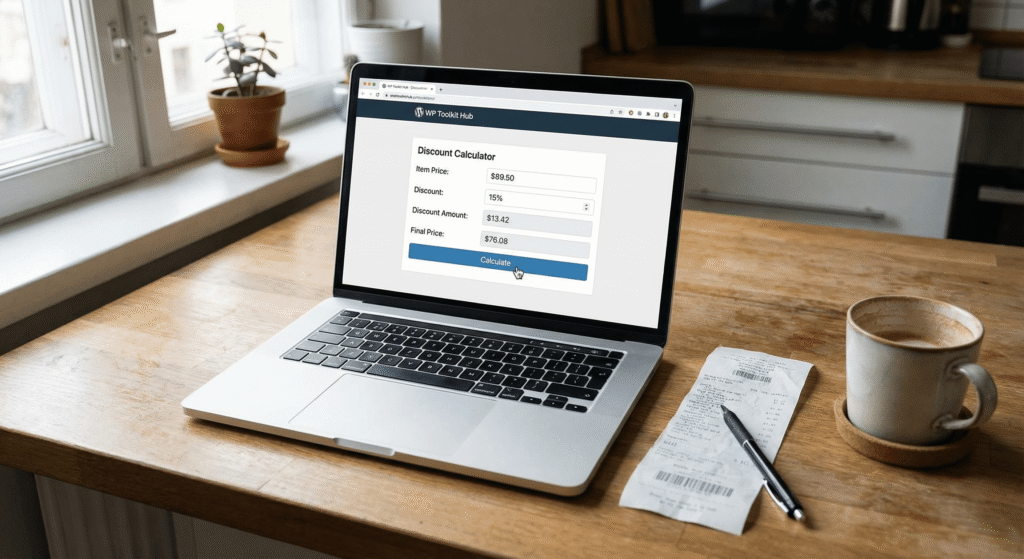
Stores love to use percentages to make sales look better than they are. "30% off, plus an extra 10%!" What does that actually mean in dollars? Use the discount mode to see exactly how much cash you are saving. It helps you decide if you should buy that item or save your money for something else.
GST/VAT Calculator
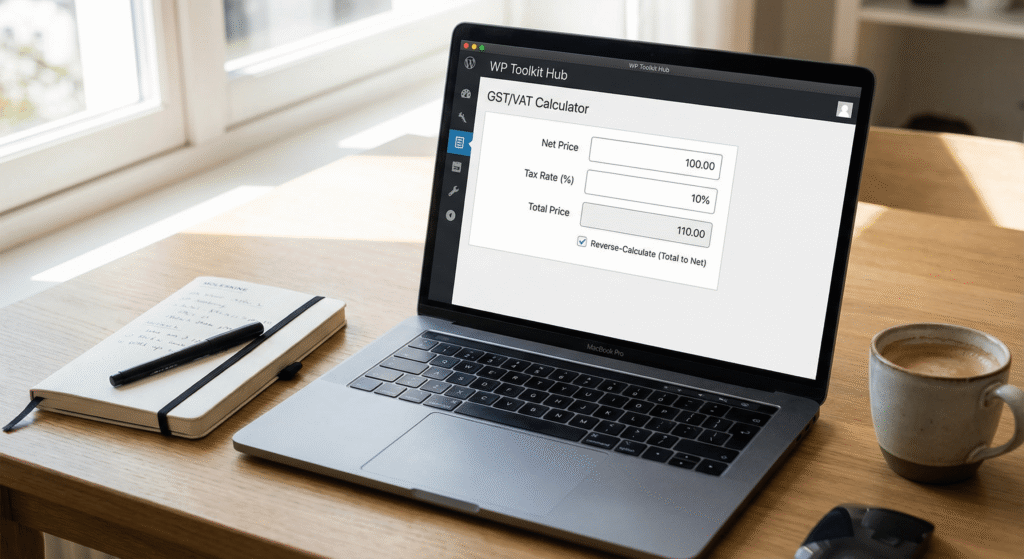
Taxes are a pain, but we have to pay them. Depending on where you live, adding or removing tax from a price can be tricky. This tool lets you add the tax rate to a net price, or reverse it to find the price before tax. It’s super useful for freelancers who need to create accurate quotes.
The Loan Calculator
Whether you are looking at a gm financial income calculator style assessment for a car or a personal loan, the math is similar. You need to know a few things:
- Present Value (PV): This is the loan amount. The money you get right now.
- Interest Rate (I/Y): The cost of borrowing that money.
- Number of Periods (N): How long you will take to pay it back.
When you plug these into our financial calculator online free tool, it calculates your Periodic Payment (PMT). This is what you have to pay every month.
If you don’t calculate this right, you might sign up for a loan that eats up your whole paycheck. It is smart to check the numbers here before you talk to a bank. And if you are looking into buying a home, this works just like a ti ba ii plus financial calculator to help you see what your mortgage might look like.


The Investment Calculator
This is the fun part—watching your money grow. Let’s say you have $100 today. If you put it in a savings account with 10% interest, next year you have $110. That extra $10 is your money working for you.
But what if you leave it there for two years?
Year 1: $110
Year 2: You earn 10% on the $110, not just the original $100. So you end up with $121.
This is called compounding. Our calculator lets you see how much your savings will grow over 10, 20, or 30 years. It is great for planning retirement or saving for a child’s college fund. It functions similarly to a sun life financial life expectancy calculator or retirement planner but gives you the raw numbers.
Comparing Our Tool vs. Others
You might be wondering how our web-based tool stacks up against a physical hp 10bii+ financial calculator or other apps. Here is a quick breakdown.
| Feature | WP Toolkit Hub Financial Calculator | Physical Calculator (e.g., TI BA II Plus) | Standard Phone Calculator |
|---|---|---|---|
| Cost | 100% Free | $30 – $50+ | Free |
| Ease of Use | Very Simple (Labeled fields) | Hard (Requires learning specific keys) | Easy but limited |
| Functions | Loans, Tips, Tax, Investment, Margin | Advanced Finance & Stats | Basic Math only |
| Accessibility | Any device with internet | Must carry it with you | Any phone |
| Visuals | Clear summary layout | Small LCD screen | Basic numbers |
As you can see, unless you are taking a college exam where phones are banned, our financial calculator online is usually the better, faster choice.
How to Use the Financial Calculator

Choose Your Goal
First, decide what you want to do. Are you calculating a tip? Or are you trying to figure out financial independence calculator numbers? Select the tab or section that matches your need.

Enter Your Data
Fill in the boxes. For a loan, you will enter the Loan Amount, Interest Rate, and Term (years/months). For a margin check, enter your Cost Price and Selling Price.

Click Calculate
Hit the button. The results show up instantly. No loading, no waiting. You get a clear summary of the results.

Analyze and Act
Now you have the info. If the loan payment is too high, try changing the "Term" to see if a longer loan helps. If your margin is too low, try adjusting the selling price.
Who Is This Calculator For?
We built this for everyone, but it is especially helpful for specific groups.
Students:
If you are in a finance class, you know the struggle. Professors love talking about PV and FV. While you might need a texas instruments ba ii plus financial calculator for the final exam, our tool is perfect for doing homework quickly. It helps you understand the concepts without fighting with tiny rubber buttons.
Small Business Owners:
Time is money. You don’t have time to build complex spreadsheets just to check a markup. You can use this alongside our Invoice Generator tools to keep your finances in order. If you are setting up a shop, check out our eCommerce / WooCommerce themes to make your site look pro.
Home Buyers:
Mortgages are scary. Seeing the total interest you will pay over 30 years can be a shock. But it is better to know now than later. Use the loan function to see if you should rent or buy. It answers questions like “How much house can I afford?”

Common Questions (FAQ)
Is this financial calculator free?
Yes, absolutely. You can use it as many times as you want. We believe good tools should be available to everyone.
Can I use this for auto loans?
Sure thing. An auto loan is just a standard loan. Just enter the car price as the “Present Value” and the interest rate the dealer gives you. It works just like a gm financial calculator.
Does it calculate compound interest?
Yes, the investment section uses compound interest formulas because that is how real investing works. It shows how your money grows over time.
Is it accurate?
The math formulas used here are the standard ones used in banking and finance. However, always remember that for official bank loans, their numbers might vary slightly due to specific bank fees or rules.
Why "WP Toolkit Hub" Tools Are Different
At WP Toolkit Hub, we care about making the web easier for you. Whether it is providing a Word Counter for your blog posts or an Image Compressor to speed up your site, we want you to succeed.
This Financial Calculator is part of that mission. We noticed that many calculators online are full of ads, slow to load, or just confusing. We wanted to build something clean. One tool, multiple uses. Just like our Multipurpose / Page Builder-Based themes, we believe in versatility.

Final Thoughts
Money touches every part of our lives. From the tip you leave at a cafe to the mortgage you pay for your home. Having a clear idea of where that money is going is the key to less stress. This best financial calculator is here to help you get that clarity.
You don’t need to be a math genius. You just need the right tool. So, go ahead and bookmark this page. Next time you need to split a bill, plan a loan, or check a discount, you will be ready. And if you are building a website to share your own financial advice, don’t forget to check out our Magazine / Blog / News themes to get started.
Take control of your numbers today with WP Toolkit Hub.