




Password Security Suite
Generate cryptographically secure passwords and analyze their strength
Password Security Suite: Protect Your Accounts with Our Password Generator & Entropy Checker
Let’s be honest for a second. Creating passwords is a pain. It is one of those things we all have to do, but nobody actually likes doing it. You sit there staring at the screen, wondering if “Password123” is really that bad (spoiler: it is), or you try to mash the keyboard to make something random. But then, how are you supposed to remember it? It’s a mess.
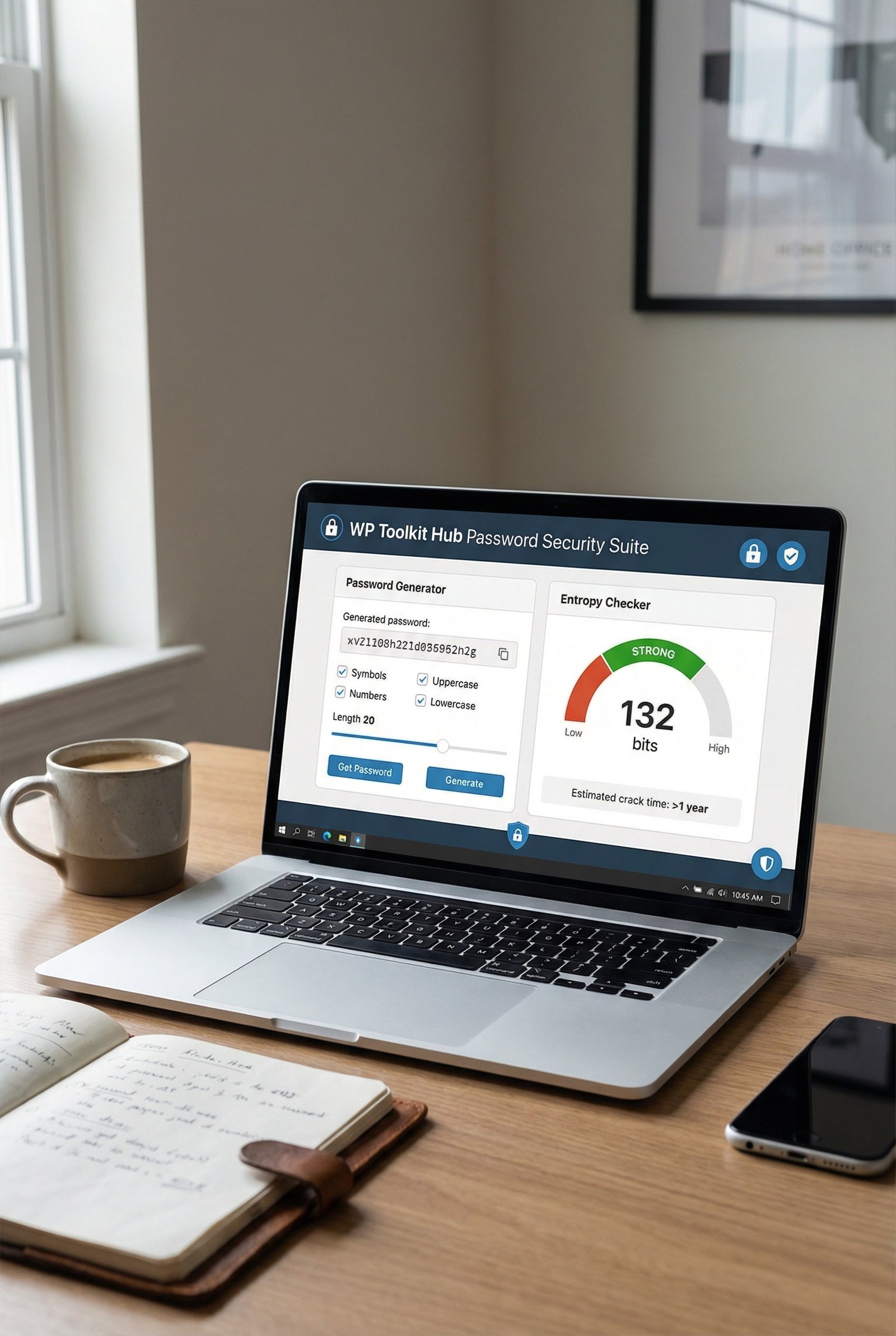
That is exactly why we put together this Password Security Suite here at WP Toolkit Hub. We didn’t just want to give you a random string of letters. We wanted to give you a full breakdown of how safe your login details really are. Whether you need a brand new code or you want to check if your current one is tough enough to stop a hacker, we got you covered.
We have built two main tools right on this page: a Password Generator and an advanced Entropy Checker. And unlike other sites that just give you a green checkmark, we actually show you the math behind it. It’s kinda like how our Text Cleaner & Remover cleans up your writing—this tool cleans up your security.
Why Most Passwords Are Too Easy to Crack
The biggest problem people have is they think like humans, not computers. When you make a password, you probably use a name, a birthday, or a pet’s name. Maybe you capitalize the first letter and add an exclamation mark at the end. You think that’s clever. But hackers know this trick. They have programs that can guess millions of these combinations in a few seconds.
To stay safe, you need chaos. You need randomness. That is where a machine does a better job than a brain. Just like you might use our Keyword Density Checker to see what words pop up too much in a text, a hacker uses tools to see patterns in passwords. If there is a pattern, they will find it.
Tool 1: The Ultimate Password Generator
Our Password Generator isn’t just a random letter mixer. It gives you full control. We know different websites have different rules. Some want numbers, some hate symbols, some need to be super long. Here is what you can do with our tool:
Custom Length
You can pick a size anywhere from 8 characters all the way up to 60. While 8 is the bare minimum, we usually say go for more. It’s like writing an invoice with our Invoice Generator—you want all the details in there, not just the basics.
Entropy Display
This is the special part. We show you the "bits" of entropy. We will explain what that means in a minute, but basically, higher bits mean harder to hack.
Character Options
You get to choose what goes in. Want Uppercase (A-Z)? Lowercase (a-z)? Numbers (0-9)? Symbols (!@#$%)? You can mix and match.
Security Level
We show you right away if the setting you picked is Normal, Medium, or Strong.
Why Length Matters More Than You Think
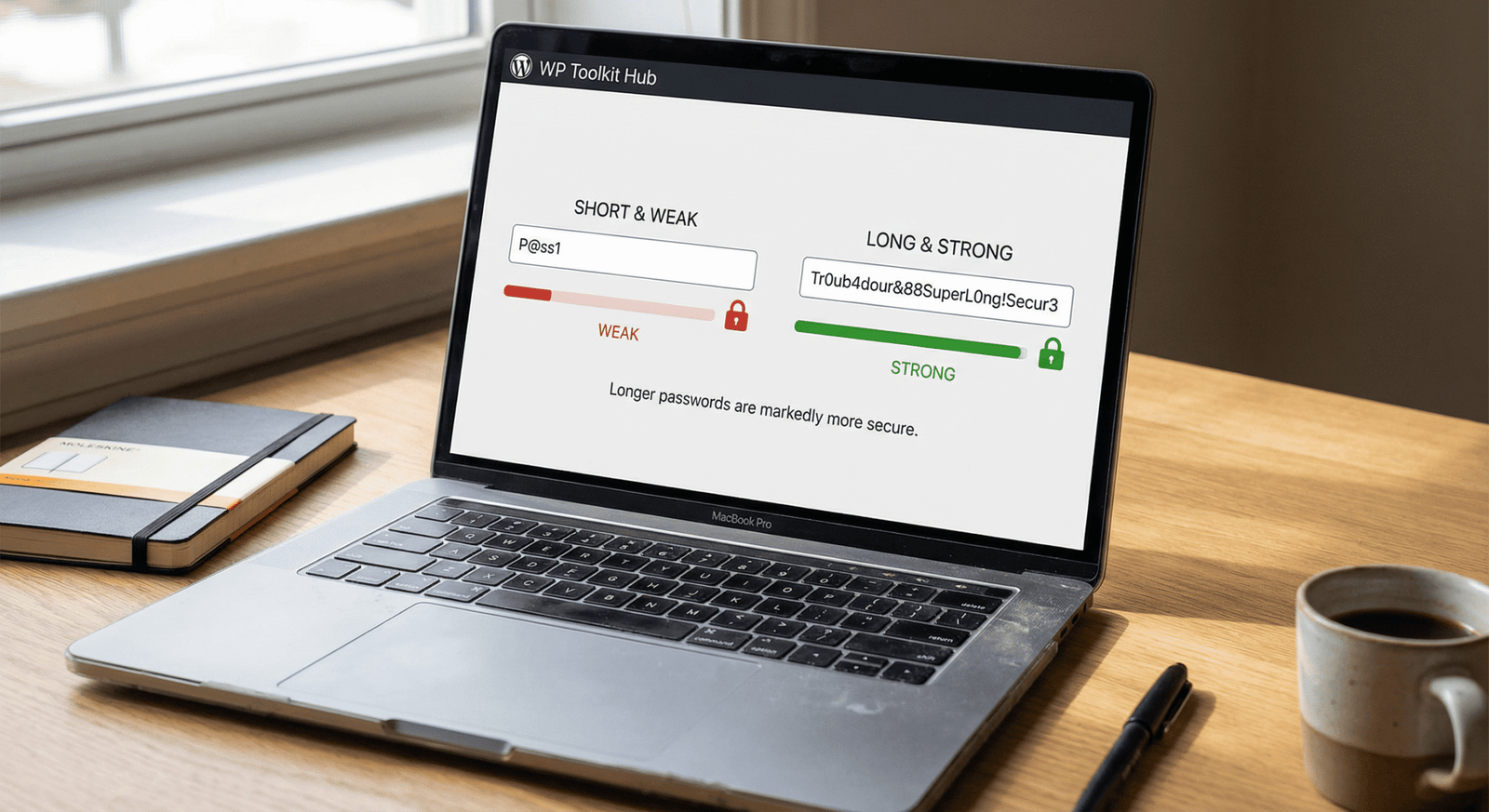
A lot of folks think adding a “1” to the end of a short password makes it safe. It doesn’t. Length is actually the most important factor. If you use our Word Counter tool, you know that length changes how a text feels. Same with passwords.
Imagine a password is a lock. A short password is a lock with three numbers. Easy to guess. A long password, say 20 characters, is like a lock with a billion combinations. Even if the password is just letters, if it is long enough, it becomes super hard to break.
The Entropy Checker & Security Analysis
Now, this is where things get really interesting. Maybe you already have a password you like. Or maybe you used our generator and want to double-check the results. That is what the Entropy Checker is for.
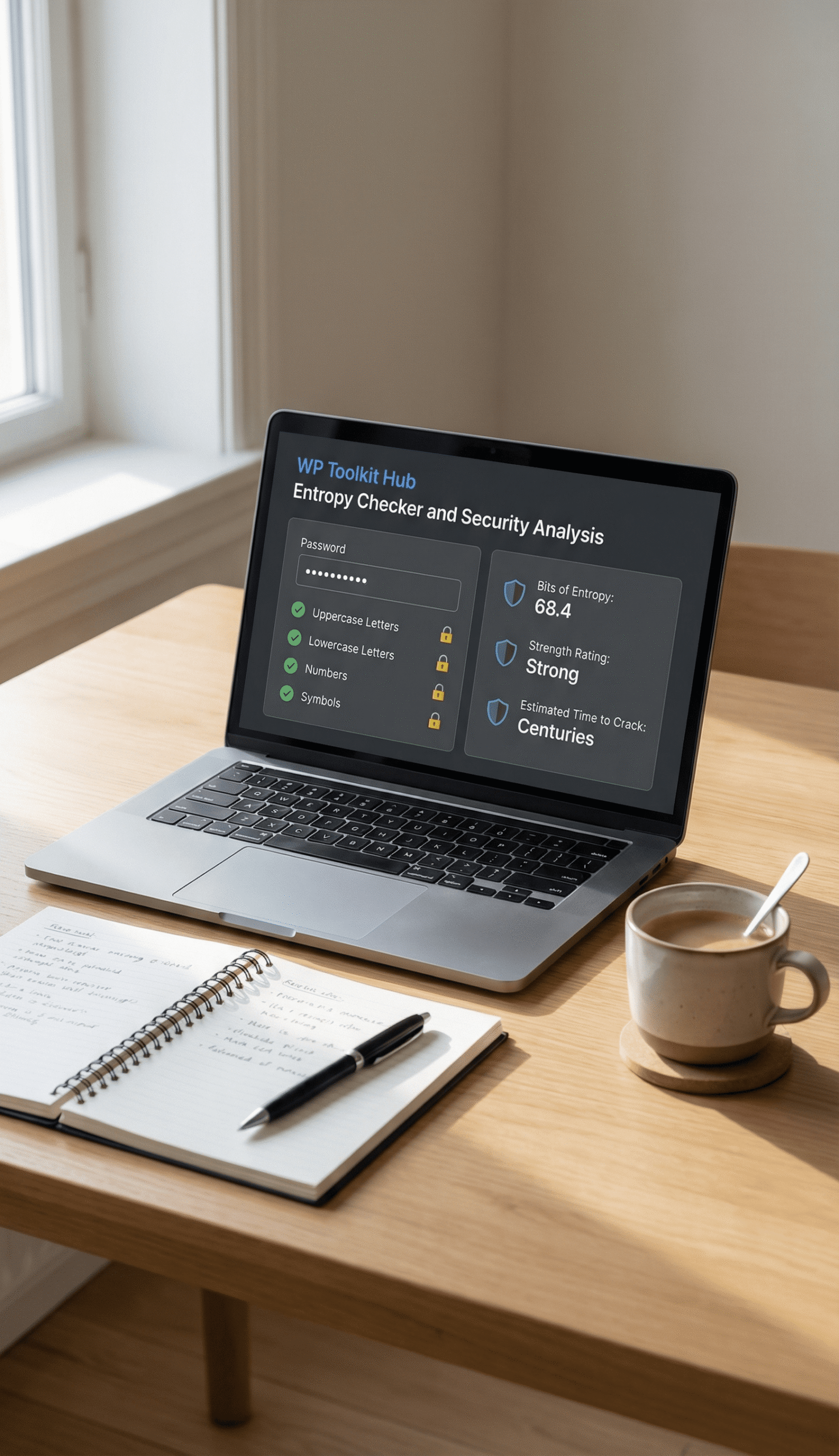
You type in your password, and we analyze it instantly. We check for:
- Uppercase letters
- Lowercase letters
- Numbers
- Symbols
But we don’t stop there. We give you a Security Analysis that includes:
- Bits of Entropy: This is the math score of your password.
- Strength Rating: We tell you plainly if it is Strong or Weak.
- Time to Crack: This is the scary (or reassuring) part. We calculate how long it would take a computer to guess your password. It could be “Instantly,” “2 days,” or “4 million years.”
It is a bit like using our Tip, Discount & GST Calculator. You put in the raw numbers, and we tell you the final cost. Here, you put in the raw text, and we tell you the “cost” for a hacker to break in.
What in the World is "Entropy"?
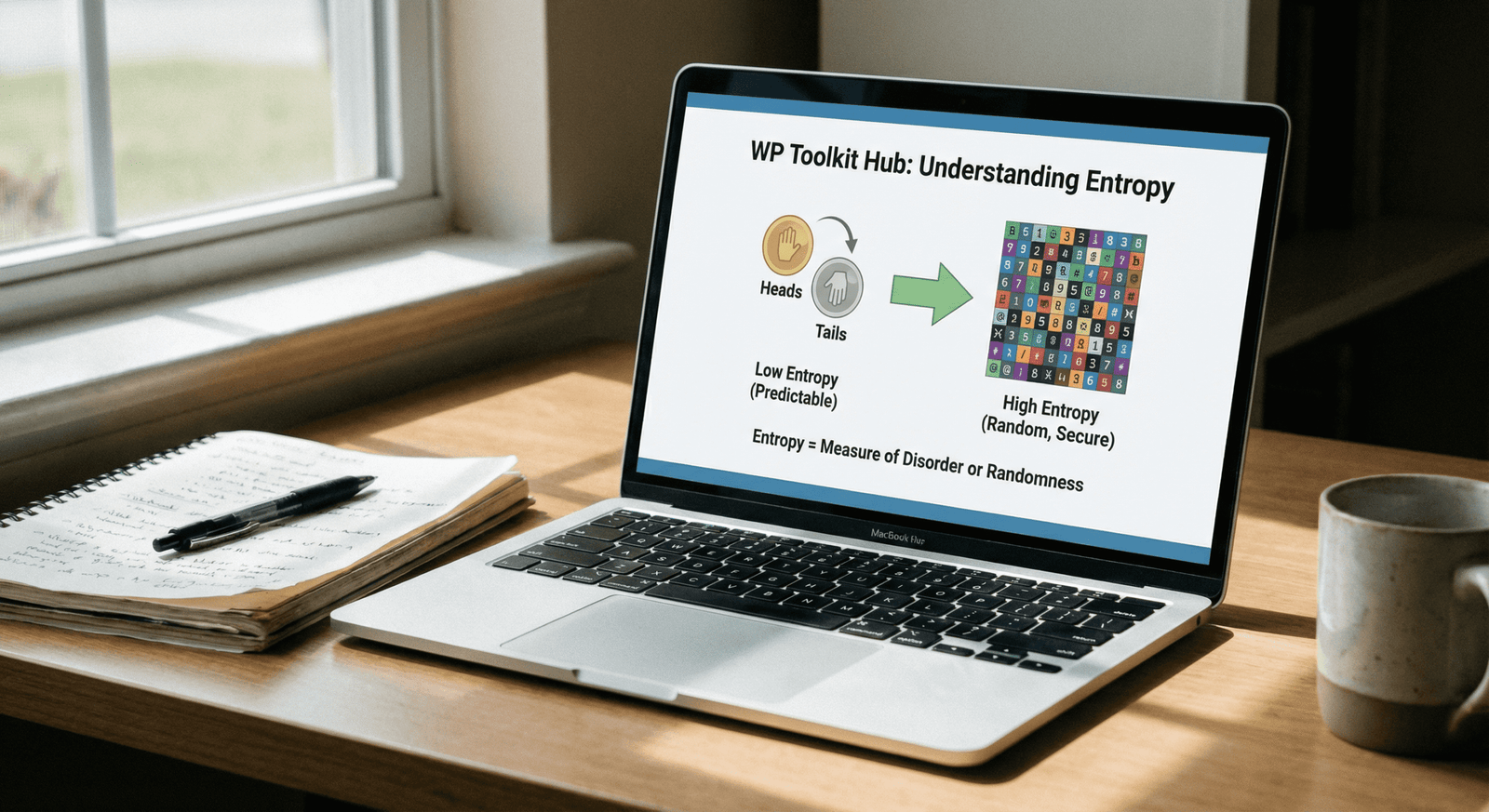
You see us talking about “bits of entropy” a lot on this page. It sounds super technical, but it is actually simple. Entropy is just a fancy way of saying “how much guessing does it take to find this?”
Think about flipping a coin. It’s heads or tails. That’s 1 bit of entropy. Not much guessing needed. Now think about our QR Code Generator. A QR code has tons of dots and patterns. The number of possible QR codes is massive. That has high entropy.
In passwords, every time you add a character or a new type of symbol, the entropy goes up. The higher the bits, the safer you are. Most standard passwords people make up in their heads have about 30 to 40 bits. That’s weak. Our tool aims to get you way higher than that.
WP Toolkit Hub vs. The Others
There are plenty of tools out there. But we tried to make ours better by giving you more data. If you look at how we handle images, like with our Image Compressor or PDF Optimizer, we care about quality. We did the same here.
| Feature | Standard Online Tools | Manual Method (Your Brain) | WP Toolkit Hub Security Suite |
|---|---|---|---|
| Creates Random Text | Yes | No (Brains make patterns) | Yes (Totally Random) |
| Entropy Analysis (Bits) | Rarely | No | Yes (Detailed Bits score) |
| Time to Crack Estimate | Sometimes | No | Yes (Real-time calc) |
| Custom Length Limit | Usually 15-20 chars | Unlimited | Up to 64 Characters |
| User Friendly | Varies | Yes | Yes, clean interface |
How to Make a Password That Nobody Can Hack
Even with our tool, it helps to know the rules. Just like you use our Case Converter to fix messy text, you can fix your messy security habits by following a few tips. Here is what makes a password truly tough.

Go Long or Go Home
We mentioned this before, but it is worth repeating. Length is king. An 8-character password might take a few hours to crack. But if you jump to 16 characters? It could take a billion years. Literally. It’s a huge difference. So, don't be shy. Crank that length slider up on our generator.
Mix It Up
Don't just use lowercase letters. That’s weak. Throw in everything. Uppercase, numbers, symbols. It makes the "search space" for the hacker way bigger. It’s like trying to find a specific file. If you have a messy folder, it’s hard. If you use our Image Converter to organize things, it’s easier. But for hackers, you want to make it messy.
Be Unique Everywhere
This is the golden rule. Never use the same password twice. If a hacker steals your password from a small, insecure website, they will try that same password on your email and bank account. If you have different passwords, they hit a wall. Yes, it is hard to remember them all, which is why you generate them here and save them in a browser or password manager.

Avoid Personal Info
Your dog's name is not a security feature. Neither is your birth year. Hackers can find that stuff on your social media in five minutes. Keep it random. If you really need to type something from real life, maybe use our Image to Base64 Converter to turn an image into code and use a chunk of that! (Okay, that might be overkill, but you get the point—random is better).
Why You Should Care About "Time to Crack"
Our tool shows you a “Time to Crack” estimate. This is a guess based on how fast modern computers work. Computers are getting faster every year. A password that was safe in 2010 is a joke today. That is why you need to update your old passwords.
When you see “Centuries” or “Billions of years” in our tool, you can relax. That means even if a supercomputer worked on your password day and night, the sun would probably burn out before it guessed your code. That is the level of safety we want for you.
Frequently Asked Questions (FAQ)
Is it safe to use a password generator online?
Yes, absolutely. Our tool runs locally in your browser for the most part. We don’t save your passwords. Once you generate it and leave the page, it is gone from our side. It’s just like when you use our Tax, Discount & GST Calculator—we don’t keep your financial numbers.
How do I remember a 64-character password?
Can I just use a sentence as a password?
Passphrases (like “Blue-Horse-Jumps-High”) are better than short words, but random characters are still mathematically stronger. If you use a sentence, make it weird and nonsensical. But honestly, using the generator is safer because it doesn’t follow grammar rules.
Why does the Entropy Checker say my password is weak even if it is long?
It might be because you are only using one type of character. “aaaaaaaaaaaaaaaaaaaa” is long, but it has very low entropy because there is no variety. You need to mix numbers and symbols in there to get the bits up.
How often should I change my passwords?
In the old days, people said “every 90 days.” Now, experts say you only really need to change them if they might have been stolen or if they are weak. If you generate a super strong password with our tool today, you can keep it for a long time, as long as nobody steals it from the server side.
Wrapping It Up
Your digital life is important. Your bank, your emails, your photos—it is all behind a digital wall. The password is the gate. Don’t use a flimsy wooden gate that anyone can kick down. Use a vault door.
With the WP Toolkit Hub Password Generator, you can build that vault door in seconds. And with the Entropy Checker, you can verify that it is solid. It is just one of the many ways we try to make your web life easier, along with our other handy tools like the QR Code Generator and the Text Cleaner & Remover.
So go ahead, generate a new code, check its strength, and sleep a little better tonight knowing your accounts are safe.