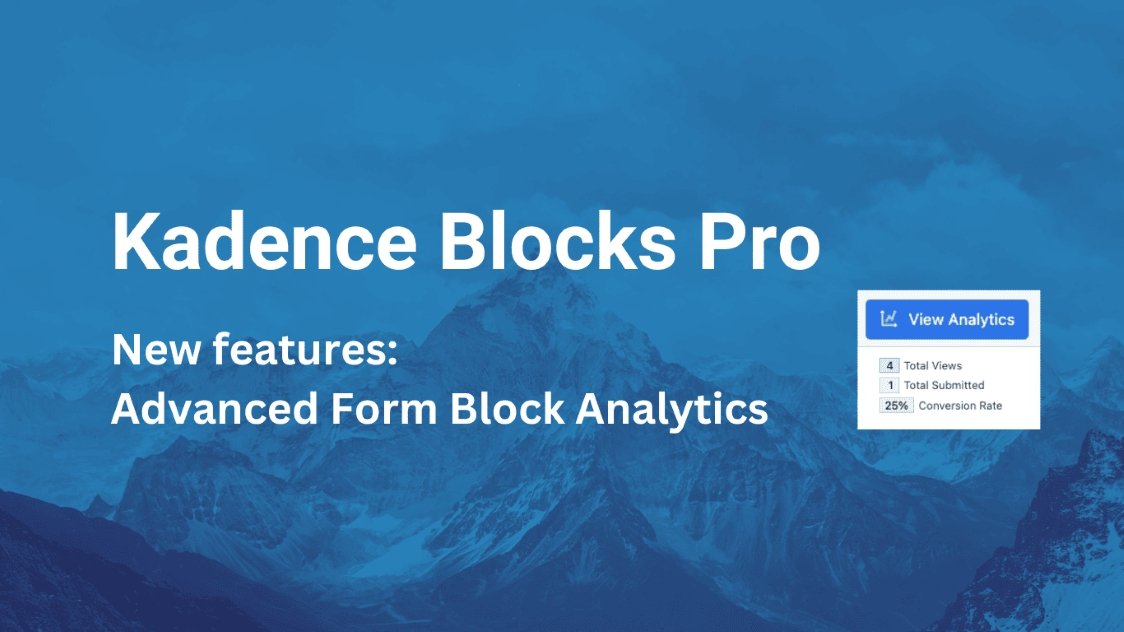
Today we look at the whole Kadence setup, especially the new Kadence Pro theme version 1.1.15 and the kadence blocks pro plugin, which is at version 1.1.16. We’re going to talk about why you might want to switch to this system and all the good parts of the paid version. If you are looking to make a website fast and good, Kadence is a big deal, and the paid features just make things so much easier.
A lot of people ask us if kadence free vs pro is worth the money. Short answer is yes, if you plan to do more than just a basic blog. The extra parts you get with kadence pro wordpress are needed for serious sites. Before you move on, if you are writing a lot of content, make sure your keywords are used right. Our Keyword Density Checker can help with that.
Why You Need the Kadence Pro Features
The base theme and blocks are great, don’t get me wrong. But the stuff you get with the kadence pro addon is what makes the theme really stand out from other WordPress themes. When you pay for Pro, you get a huge set of tools that help you change where things show up, make fancier navigation, and generally take more control over your whole website’s look.
It’s not just about getting more options, it’s about getting the options you need to finish a job quickly. This is especially true for businesses, agencies, or folks running eCommerce / WooCommerce stores. You need things to be quick and flexible, and Kadence Pro gives you that.
The Kadence Theme Kit Pro Features That Make a Difference
Let’s check out what the Kadence Pro Theme itself adds. This is the kadence pro theme part of the package. These are features that sit right in the Customizer and let you change the overall structure of your site headers, footers, and how pages load.
- Premium Header Widgets: You get like twenty new elements to stick in your header. Things like an Account Icon for users, contact info areas, search bars, extra buttons, and a cool slide-out panel you can toggle. This means you can build a header that looks high quality without needing another plugin.
- Ultimate Menu (Mega Menus): When you have a lot of plugins or pages, your menu can get messy. The Ultimate Menu options let you build mega sub-menus, add icons, put tags on items, and even use custom content inside the dropdowns. This is way better for big sites.
- Hooked Elements: This is a powerful feature. Hooked Elements means you can take any content, a block, a section from a page builder, whatever, and stick it anywhere on your site. You decide where it goes, who sees it (specific users only), and even set a date for it to disappear. You could even use this to build a totally custom 404 page instead of the usual boring one.
- Fixed Elements: Need a banner at the top of your page that stays put while people scroll? This feature is for that. It works with those Hooked Elements we just talked about, so you can fix footers or banners to your page and even set them to show only on mobile or only on desktop.
- Infinite Scroll: For blogs or archives, this is a must-have. Instead of making people click through to page 2, page 3, and so on, the content just loads as they scroll down. It works for your regular Blogs posts and even for WooCommerce Products.
- Coming Soon & Maintenance Mode: When you’re working on the site, you need to hide it from visitors. Pro gives you an option to make a custom “Coming Soon” or “Maintenance Mode” page that is fully customizable. It saves you from getting a separate Security & Backup or maintenance plugin.
- Header/Footer Scripts: Sometimes you need to add code snippets for tracking or other purposes. This feature lets you add those scripts right into the header, footer, or after the body starts, without messing with files.
- WooCommerce Addon: If you are selling stuff, this is great. It adds options like having the side cart automatically pop open when someone adds a product, and the ability to design your whole shop page using blocks. This makes selling on eCommerce Add ons much smoother.
The WooCommerce Boost
A special note on the WooCommerce stuff. Making a good online shop needs special tools. The Kadence Pro features for this let you really control the look and feel. The auto-open side cart is a small thing, but it really helps conversions. Plus, building custom shop pages means you aren’t stuck with the boring default look. If you need help managing all the products and sales, our Invoice Generator can help keep your business organized.
The Power of Kadence Blocks Pro Extension
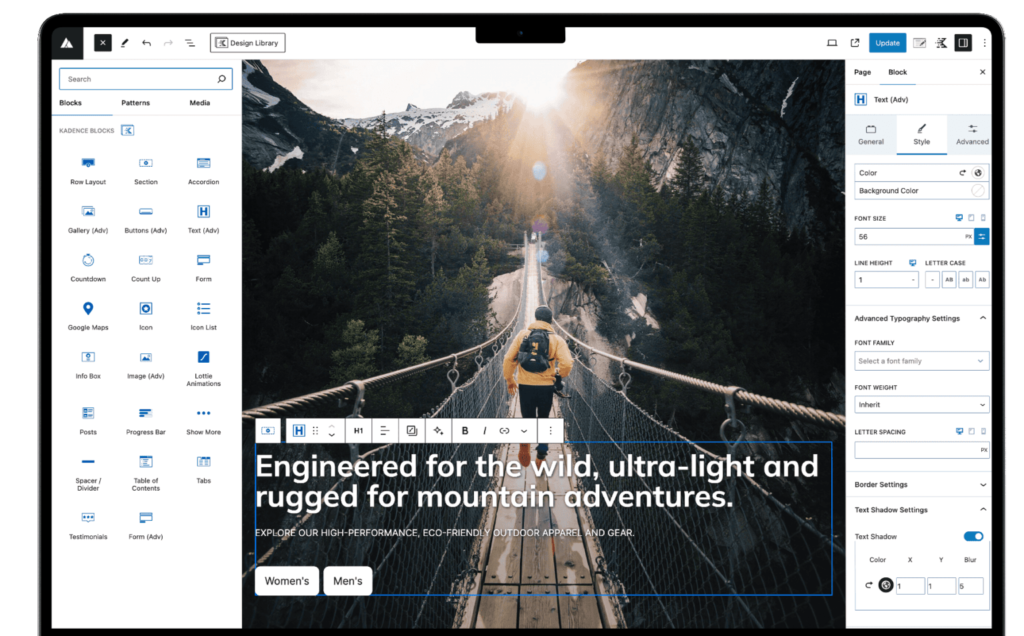
The second part of the paid package is the kadence blocks pro extension. This is a plugin that sits on top of the free Kadence Blocks and adds some amazing functionality to the WordPress editor (Gutenberg). This is how you build your actual page content, and the Pro version gives you features that other Page Builder plugins charge a lot for.
The Pro Blocks are really the reason many people pay. It gives you the power to do things easily, stuff that used to need custom code or ten different plugins.
- Advanced Forms: The free forms block is fine, but the Advanced Forms let you do a lot more. You can connect them to email services, use advanced field types, and generally build more complicated forms for getting info or taking applications.
- Dynamic Content and Queries: This is for showing content from different parts of your site, automatically. Say you want to show a list of your latest products, or testimonials from a custom post type. Dynamic content lets you “query” the database and show that info anywhere, which is fantastic for big sites like Directory / Listing sites.
- Animate On Scroll: You know when elements slide in or fade in as you scroll down the page? That’s what this does. It makes your page feel more modern and professional, adding movement without being too slow. Speed is still king, and our Speed Optimization plugins can help keep it fast.
- Pro Gallery Layouts and Custom Icons: Get way more options for showing off images, not just the basic grid. And you get a whole library of custom icons to use in your blocks.
Dynamic Content and SEO
Using dynamic content is a smart way to manage large websites. It helps with SEO because you can build templates that pull in fresh content all the time, making your site feel updated. When you’re dealing with lots of written pieces, you need to be sure about your quality. Our Word Counter tool can help you hit those needed lengths for good results.
Comparing Kadence Plans: Theme Kit Pro vs. Plus vs. Ultimate
When you are buying the kadence pro theme and blocks, they offer three main packages. Which one you pick depends on how many sites you need it for and what extra tools you want. The big difference is mostly in the number of sites, access to all their products, and the amount of AI credits (which is a new tool they are adding).
Theme Kit Pro Plan
This is the entry-level paid plan. It’s for up to 5 sites and only gives you the Kadence Theme Pro features we listed above. It’s good if you just need the header, menu, and hooked elements without all the fancy block extras.
- Sites: Up to 5
- Main Goal: Getting the basic Kadence Pro theme features (Headers, Menus, Hooks).
Plus Plan: The Best Value for Most People
The Plus Plan gives you everything in the Theme Kit Pro, and it adds the Kadence Blocks Pro features, plus a lot of starter templates and pattern designs. This is usually the go-to for designers or small agencies, since it covers up to 10 sites and gets you access to almost all of their products, which they sell on their website. The Plus Plan is where you get the most value for money, because the total cost of all the individual plugins is much higher.
- Sites: Up to 10
- Key Extras: All kadence blocks pro features (Dynamic, Forms, Animate), 40+ Starter Templates, 800+ Patterns.
- Tools Included: You get the main theme and blocks, plus things like CAPTCHA and Creative Kit.
Ultimate Plan: For Scaling Your Business
The Ultimate Plan is for big agencies or people who run many websites. It covers up to 25 sites and gives you every single product they make, current and future. It also adds advanced features for making more money, like A/B Testing, a Popup Builder, and Conversion Tracking. This is key for Marketing & Popups efforts.
- Sites: Up to 25
- Key Extras: Everything in Plus, plus A/B Testing, Popup Builder, Conversion Tracking, and Advanced eCommerce stuff.
- Extra Tools: You get everything, including Conversions and Insights plugins.
Kadence Pro vs. Other Tools: A Quick Look
We believe in good tools at WP Toolkit Hub. When you are paying for a premium theme and block set, you want to know what it can do that others cannot. The combination of kadence pro blocks and theme is powerful because it keeps everything in one system, which is great for speed and less messy than using lots of different plugins.
For example, if you need to optimize images before uploading them to your new Kadence site, don’t forget our Image Compressor. When you use fewer plugins, your site loads faster. Let’s look at how the Kadence system compares to using a separate free theme plus a separate popular block plugin.
| Feature | Kadence Pro Theme + Blocks | Standard Free Theme + Block Plugin | Why Kadence Wins |
|---|---|---|---|
| Menu System | Ultimate Menu, Mega Menus built right in. | Basic WordPress menu, maybe needs a separate Add ons plugin. | Integrated, no separate plugin needed for fancy menus. |
| Header Builder | Advanced drag-and-drop with 20+ premium elements. | Often very limited, fixed layout. | Complete control over header design and what elements show up. |
| Conditional Content (Hooks) | Add content anywhere, show to specific users, set expiry dates. | Not possible without heavy custom code or a specific, dedicated plugin. | The kadence blocks pro changelog shows this is always getting better. It saves so much time. |
| Dynamic Content | Easy to pull post data, custom fields, and use in templates. | Usually only available in expensive, specialized plugins or full page builders. | Great for Magazine / Blog / News sites that have lots of content types. |
| WooCommerce Features | Side Cart, custom shop page layouts. | Requires multiple extra WooCommerce Add ons to get this functionality. | Less complexity, everything works together seamlessly. |
| Support and Updates | Premium Support and regular updates for everything. | Separate support forums for theme and block plugin. | One place to go for help when something is broken. |
Getting the Latest Kadence Pro (v1.1.16 + Theme v1.1.15)
If you are looking for the new version, you need to make sure you have the official license, which is the best way to keep your site safe and updated. Using any sort of kadence pro nulled or kadence blocks pro free download is a bad idea because you miss out on security updates and support. It is just not worth the risk for a site that makes you money.
For getting started, the Theme Kit Pro or Plus Plan is what you need. They have a 30-day money back guarantee, no questions asked, so you can try it out and see if the kadence pro pricing is worth it for your project. The costs are reasonable compared to other theme systems out there.
Make sure you go straight to the source to get your license. You need the ability to get premium support and the latest updates. It keeps your site running smoothly. When you use good, updated Plugins and Themes you have less worry.
My Final Thoughts on the Kadence System
The whole system is built around speed and flexibility. They are not using a lot of extra code, which is nice. For anyone who builds websites for a living, or even just manages a few personal sites, Kadence Pro is a strong choice. It’s got the ability to do pretty much anything you can imagine.
We talked about a lot of features here, from custom headers to dynamic content. If you are building a big site with a lot of data, like a new Education LMS-Focused Themes project, you will find these tools a big help. The Pro features help you manage a complexity that the free version just can’t touch.
Remember that good content also needs to be easy to read and understand. That’s why we make tools like the Text Cleaner & Remover. Keep your text clean, use the kadence pro blocks to lay it out nicely, and you will have a winner.
Thank you for reading this post on WP Toolkit Hub. If you want to learn more about how to use these tools, check out our Blogs. And if you need to talk to someone, you can always go to our Support page.
Other small tools you might find useful while building your site:
- Need to change text quickly? Try our Case Converter.
- Looking for ways to improve image speed? See our Image Tools, like the Image Converter and PDF Optimizer.
- Building a site for a client? The kadence pro pricing might be different depending on which version you want to give them.
- Keep your site secure with strong passwords using our Password Generator & Strength Checker tool. Security is important for every site, no matter if you use a Portfolio / Creative / Agency theme or a basic blog theme.
- Do not forget to use the new features like the Custom Fonts in kadence pro lifetime bundle.
- If you’re tracking money or payments on your site, our Financial Calculator might come in handy.
- When dealing with images in code, you might need our Image to Base64 Converter.
- For sharing links easily, generate a custom link with the QR Code Generator.
A Note on the Ultimate Plan Extras
The Ultimate Plan, with its higher kadence pro price, includes more business-focused stuff. You get A/B testing, which lets you see which version of a page people like better, a popup builder for capturing emails, and conversion tracking to see what works. This is usually the stuff that agencies need when they are helping clients grow their online presence. It makes the Ultimate Plan a strong investment for businesses that need to scale.
Also included in the Ultimate Plan is the Child Theme Builder and Pattern Hub, which are very useful for people who make websites for others. Being able to white label the system means you can remove Kadence’s name from the backend and put your own brand there. It makes you look more professional and in control of the project you are working on.
The Ultimate Plan has everything you could need to build an online business. It even has simple sharing buttons and reading time displays for Magazine / Blog / News posts. This is a very good package, even though the kadence pro lifetime option might be expensive up front, it saves money in the long run.
Remember that all renewals for the plans are at the full rate, and that 30-day money-back deal is for the first time you buy it, so make sure you try it out properly!
For anyone running a large Business / Corporate site, the Ultimate Plan just makes the most sense because it covers so many features you would usually need to buy separately. Good luck with your website project!